Artlist Review: Is It Worth It for Content Creators?

Creating professional video content usually means dealing with more than just a camera and editing software.
You may need music, sound effects, stock footage, templates, graphics, voiceovers and increasingly, AI-generated content. The problem isn’t necessarily finding each of these things individually. The problem is managing them all without turning your creative workflow into a collection of separate subscriptions.
Artlist takes a different approach.
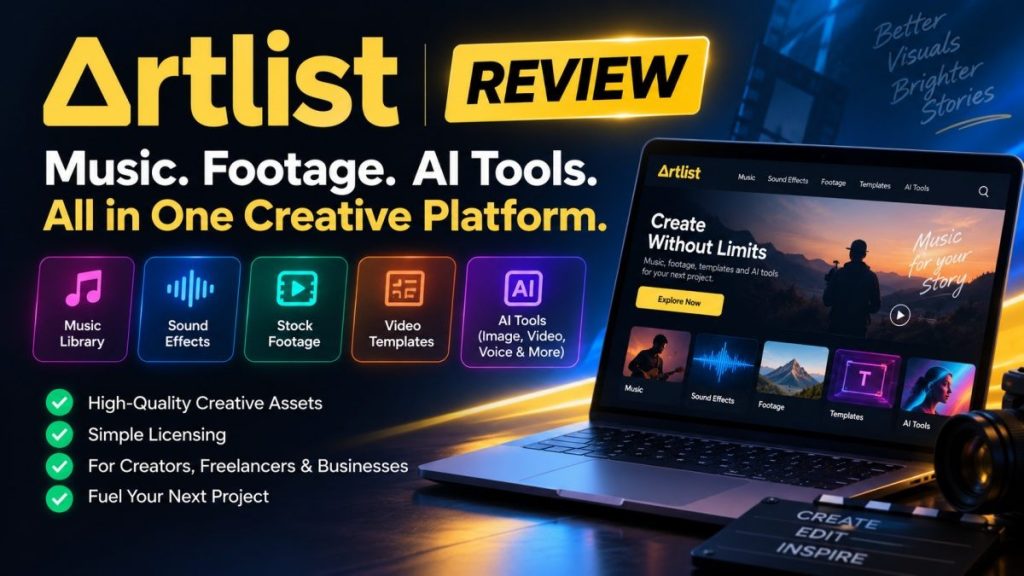
Instead of focusing on a single type of creative asset, The platform brings music, sound effects, footage, templates and other creative tools together in one place. Its current product lineup also includes AI tools for generating images, video, music and voiceovers.
That raises an important question:
Can Artlist become a practical creative hub instead of simply another stock-music subscription?
Quick answer: This platform is worth considering if you regularly create videos, social content, advertisements, podcasts or other multimedia projects and want access to multiple types of creative assets from one platform.
Its biggest advantage is the breadth of the ecosystem. Instead of subscribing separately to music, stock footage, sound effects and several AI tools, creators can potentially consolidate a significant part of their workflow inside Artlist.
The main thing to understand before subscribing is the license. Different plans provide different rights, so the cheapest plan isn’t automatically the right plan for every creator or business.
At a Glance
| Feature | Artlist |
|---|---|
| Royalty-Free Music | Yes |
| Sound Effects | Yes |
| Stock Footage | Yes |
| Video Templates | Yes |
| LUTs | Available on selected plans |
| Plugins | Available on selected plans |
| AI Image Generation | Yes |
| AI Video Generation | Yes |
| AI Voiceover | Yes |
| AI Music Generation | Yes |
| Social License | Yes |
| Pro License | Yes |
| Commercial Use | Available with appropriate license |
What Is This Creative Platform?
Artlist started with a simple idea: make high-quality music easier for video creators to license.
Over time, the platform expanded far beyond music.
Today, the Artlist ecosystem can include music, sound effects, stock footage, templates, LUTs, plugins and AI-powered creative tools.
That changes the way the platform should be evaluated.
If you’re only looking for background music for an occasional YouTube video, you may not need the entire ecosystem.
But if you’re producing content every week, the value proposition becomes different.
The real question isn’t: “Does Artlist have good music?”
It’s: “How much of my creative workflow can Artlist replace?”
Music
Music remains one of Artlist’s core strengths.
The platform provides a large catalog of music designed for video projects, with different moods, genres, instruments and styles available through its search and discovery tools.
For creators, the biggest advantage is not simply having access to music.
It’s being able to use properly licensed music in projects without having to negotiate individual licenses for every track.
This can save considerable time when you’re producing content regularly.
Sound Effects
A good soundtrack is only one part of professional video production.
Sound effects can make an enormous difference to how polished a video feels.
Artlist’s catalog includes sound effects that can be integrated into videos, advertisements, social content and other projects depending on the license.
Instead of searching for music on one website and sound effects somewhere else, creators can keep both parts of the workflow inside the same platform.
Stock Footage
Sometimes you need a shot that you simply cannot film yourself.
Maybe you need an aerial city shot, an office environment, a technology scene or a particular landscape.
Stock footage can fill those gaps.
Artlist includes stock footage as part of its broader creative catalog on eligible plans, allowing creators to combine downloaded footage with their own recordings and other assets.
For YouTubers, marketers and agencies, this can reduce the amount of time spent sourcing visual material from multiple websites.
Templates and Creative Tools
Artlist also goes beyond raw media files.
Selected plans include video templates, LUTs and plugins that can become part of the editing workflow.
This is especially useful for creators who want to spend less time building recurring elements from scratch.
For example, a video creator may combine:
- Licensed music
- Licensed sound effects
- Stock footage
- Video templates
- LUTs
- AI-generated visuals
All within a single broader creative ecosystem.
AI Creative Tools
This is where Artlist has changed considerably.
The platform now includes AI-powered tools that can generate different types of creative content, including images, video, music and voiceovers.
The AI Suite is positioned as an all-in-one solution rather than a single-purpose AI generator. Plans use monthly AI credits, with the amount of generation available depending on the subscription level and tool being used.
Some yearly plans also provide unlimited generation on selected models subject to the applicable usage rules.
Why this matters: creators can use traditional stock assets when they need ready-made content and AI generation when they need something more specific.
That combination is potentially more useful than relying exclusively on either stock libraries or AI generators.
AI Images
AI image generation can be useful when a stock library doesn’t contain exactly what you need.
Instead of searching through thousands of existing photographs, you can generate an image based on a prompt and use the resulting content as part of your creative project, subject to the applicable license terms.
This can be particularly useful for:
- YouTube thumbnails
- Social media graphics
- Marketing campaigns
- Concept visuals
- Blog graphics
- Video backgrounds
AI Video
AI video generation is another major part of the current Artlist ecosystem.
For creators, AI video can be useful when you need a specific visual sequence that would otherwise require filming, animation or expensive stock footage.
Because AI generation is integrated into the wider Artlist environment, a creator can potentially combine generated video with licensed music, sound effects and other stock assets.
AI Voiceovers
Voiceover is another area where AI can simplify production.
Artlist’s AI tools provide voice generation capabilities that can be used as part of a broader content workflow.
This can be useful for:
- Explainer videos
- Social media content
- Product videos
- Training material
- Marketing videos
- Faceless YouTube channels
Creators should always check the applicable plan and license terms before using AI-generated voice content in commercial projects.
The Artlist License: The Part You Shouldn’t Ignore
This is probably the most important section of the review.
The value is not just about the size of the catalog. It’s also about licensing.
The platform offers different license structures, including Social and Pro options. The correct license depends on where and how you’re publishing your projects.
For example, the Social license is designed around creators publishing on their registered social channels, while the Pro license is designed for broader professional and commercial use.
Current licensing information states that projects completed and published while an applicable subscription is active can retain rights to use the licensed assets in those published projects after the subscription ends, subject to the license terms.
Important: don’t assume that every Artlist plan gives you identical rights.
Before subscribing, check whether your planned use involves YouTube, client work, advertising, commercial projects, websites, television, broadcasting or other professional applications.
Can You Use Artlist for Commercial Projects?
Yes, but the answer depends on the license and the type of project.
The Pro license is designed to cover professional and commercial projects across a broad range of platforms and use cases.
This can include social media, websites, advertising, client work, films, podcasts and other forms of published content.
Businesses and larger organizations may require Business or Enterprise licensing depending on their use case.
That distinction is important because a creator producing personal YouTube videos doesn’t necessarily have the same licensing requirements as an agency producing advertising campaigns for clients.
For YouTube Creators
For YouTube creators, Artlist can become a central part of the production workflow.
A typical project might look like this:
- Find music for the video
- Add sound effects
- Download additional stock footage
- Generate an AI image or video clip
- Create a voiceover
- Edit everything together in Premiere Pro, DaVinci Resolve or another editor
Instead of managing several unrelated subscriptions, much of that process can happen through one creative ecosystem.
For Social Media Creators
Social content often requires speed.
You don’t necessarily need a complicated production process. You need music, visuals and editing resources quickly.
This is where The Social-oriented licensing and creative catalog can be particularly useful.
Creators can use licensed music and other assets in their registered social channels according to the terms of their plan.
For Freelancers and Agencies
For freelancers and agencies, licensing becomes even more important.
Client projects can involve advertising, branded content, websites, social media and other commercial distribution channels.
Pro and Business-oriented licensing can be more appropriate for these workflows than a basic social subscription.
The advantage is that the creator isn’t simply buying music. They are buying a licensing framework designed around professional projects.
One Creative Platform vs. Multiple Subscriptions
This is where Artlist’s value proposition becomes easiest to understand.
Imagine paying separately for:
- A music library
- A sound-effects library
- A stock-footage service
- A template platform
- An AI image generator
- An AI video generator
- An AI voice generator
Each service might be useful individually.
But together, the monthly cost and subscription management can become significant.
The strategy is to bring more of these creative needs into one ecosystem.
This doesn’t automatically make Artlist cheaper.
The value depends on how many of its tools you would otherwise pay for separately.
Pros and Cons
Pros
- Large music catalog
- Sound effects
- Stock footage
- Video templates
- AI image generation
- AI video generation
- AI voiceovers
- AI music generation
- Multiple licensing options
- Useful for creators and professionals
- Can consolidate several creative workflows
- Strong ecosystem for video production
Cons
- The number of plans can make choosing the right subscription confusing.
- AI generation uses credits on applicable plans.
- Not every plan includes every creative asset.
- Licensing requirements need to be understood before publishing commercial work.
- Some advanced business use cases require higher-level licensing.
- If you only need occasional music, a full Artlist subscription may provide more than you need.
Who Should Choose Artlist?
YouTube Creators
Artlist is worth considering if you publish videos regularly and need music, sound effects and additional visual assets.
Video Editors
If you’re constantly looking for music, footage, templates and sound effects, having these resources under one platform can make the workflow more efficient.
Freelancers
Professional creators working on client projects can benefit from a licensing structure designed for commercial use.
Marketing Teams
Teams producing advertising, social media and branded content can use Artlist as a broader creative resource rather than simply a music library.
AI Content Creators
If you already use AI image, video or voice tools but also need traditional stock assets, Artlist’s combination of AI and conventional creative resources is particularly interesting.
Who Should Consider Another Option?
The platform may not be necessary if:
- You only need one or two music tracks per year.
- You don’t produce video content regularly.
- You already have a creative subscription that covers everything you need.
- You only need a specialized AI generator rather than a broader creative ecosystem.
- Your licensing requirements fall outside the standard plans.
Is the Platform Worth It?
The platform becomes more interesting as your content production becomes more demanding.
If you’re only looking for background music, you may not use enough of the platform to justify paying for its broader ecosystem.
But if you’re creating videos every week and regularly need music, sound effects, footage, templates and AI-generated content, the calculation changes.
Instead of asking whether Artlist is cheap, the better question is:
How many separate creative tools would I otherwise need?
If Artlist replaces several subscriptions, saves you time searching for assets and simplifies licensing, its value can become considerably more compelling.
The Decision
Choose Artlist if…
You regularly create video or multimedia content and want music, sound effects, footage, templates and AI tools within one broader creative ecosystem.
Consider another option if…
You only need occasional music or a highly specialized AI tool and wouldn’t use most of Artlist’s wider creative catalog.
Bottom line
The service is no longer simply a music licensing platform.
Its broader ecosystem now combines stock creative assets, professional licensing and AI-powered generation tools.
For active creators, that combination can make Artlist a useful central part of the production workflow.
The key is choosing the right plan and understanding the license before using assets in commercial or client work.
Frequently Asked Questions
What Is This Platform?
the platform is a creative platform offering licensed music, sound effects, footage, templates and other creative resources, along with AI-powered tools for generating content.
Is the platform good for YouTube?
Yes. The platform offers music and other creative assets designed for video projects and provides licensing options for social content and professional use.
Does the platform have AI tools?
Yes. the platform currently offers AI tools for generating images, video, music and voiceovers through its AI-focused plans and related creative packages.
Can I use the platform music commercially?
Commercial use is available under appropriate the platform licenses. The exact rights depend on the plan and the type of project, so commercial creators should check the applicable license before publishing.
Can I use the platform for client projects?
Yes, professional licensing is available designed for client and commercial projects. The correct license depends on the project and intended distribution.
Can I keep using a project after cancelling the platform?
Under the platform’s licensing terms, projects completed and published while an applicable subscription is active can retain the right to use the licensed assets in that published project after the subscription ends, subject to the specific license terms.
Does the platform include stock footage?
Yes. Stock footage is included in selected plans alongside music, sound effects and other creative assets.
Does the platform generate AI video?
Yes. The current AI ecosystem includes AI video generation alongside image, music and voiceover tools.
Is the platform worth it for beginners?
It can be, especially if you’re serious about creating video content. Beginners who only create occasional videos may not need the full range of the platform’s tools, while regular creators can benefit more from the broader ecosystem.
Start Creating
Explore the available plans and see which creative tools fit your workflow.